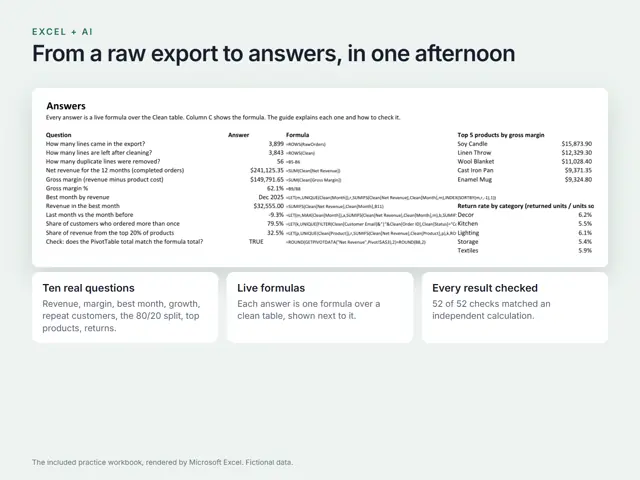
Excel + AI: Analyse Anything in an Afternoon + Workbook
Turn a messy export into answers you can trust: Power Query, PivotTables and formulas, written with AI and checked every time.
₹399 charged in INR · rate of 16 Sep 2026

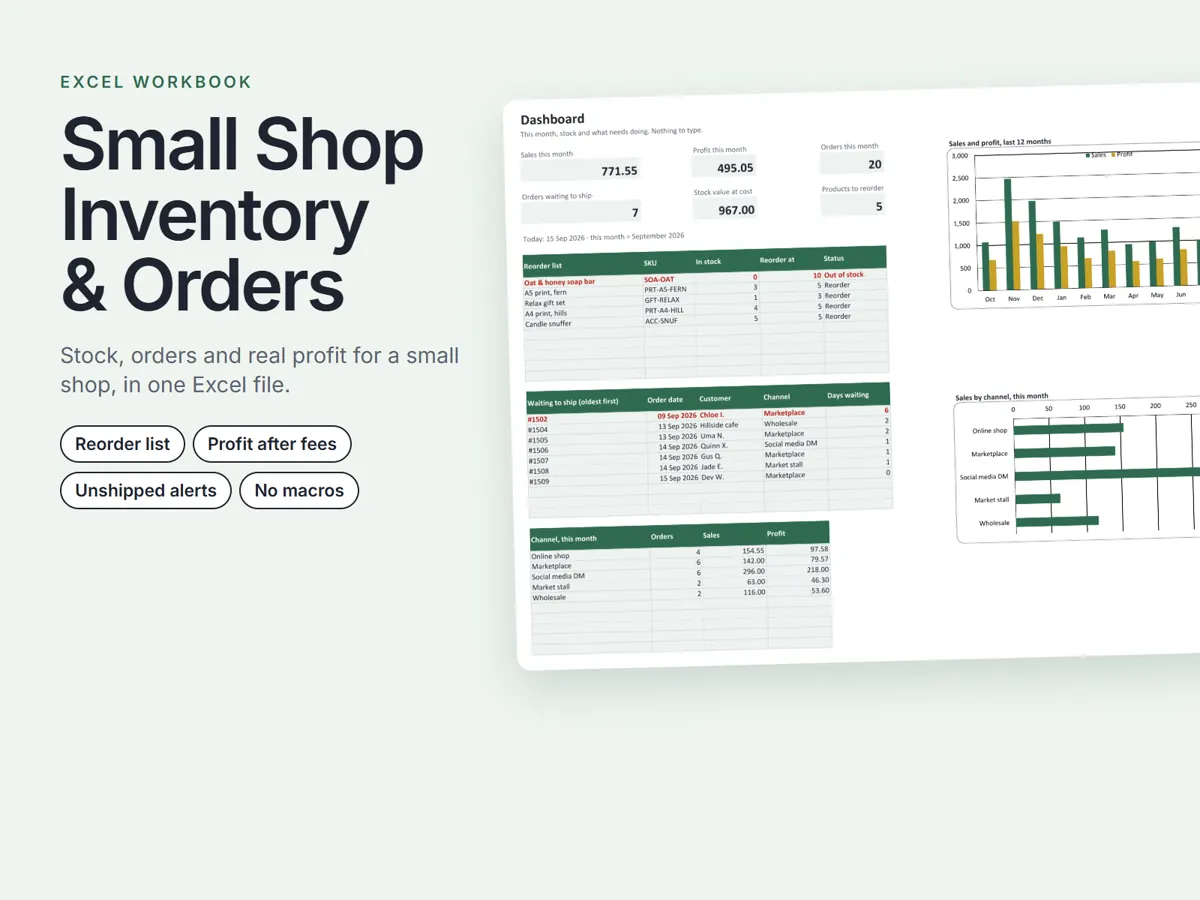
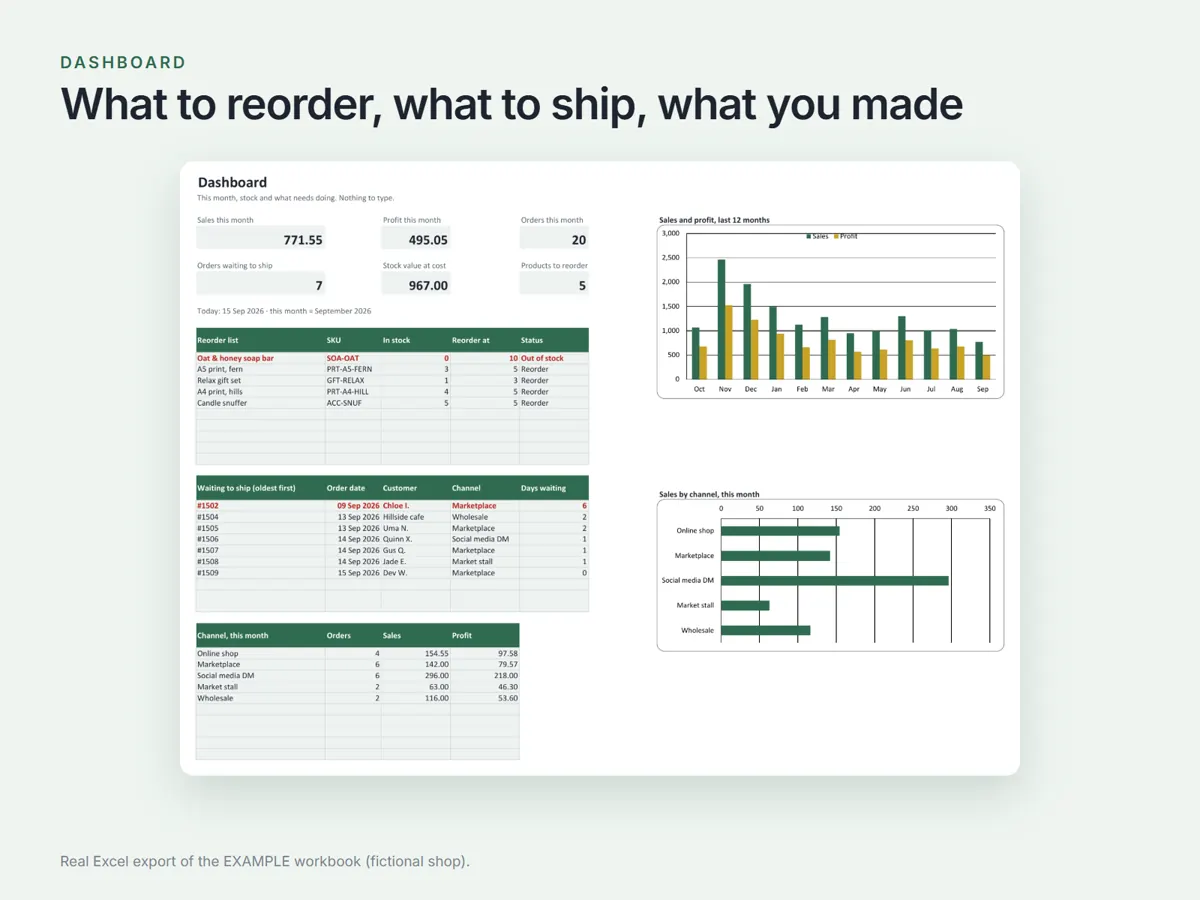
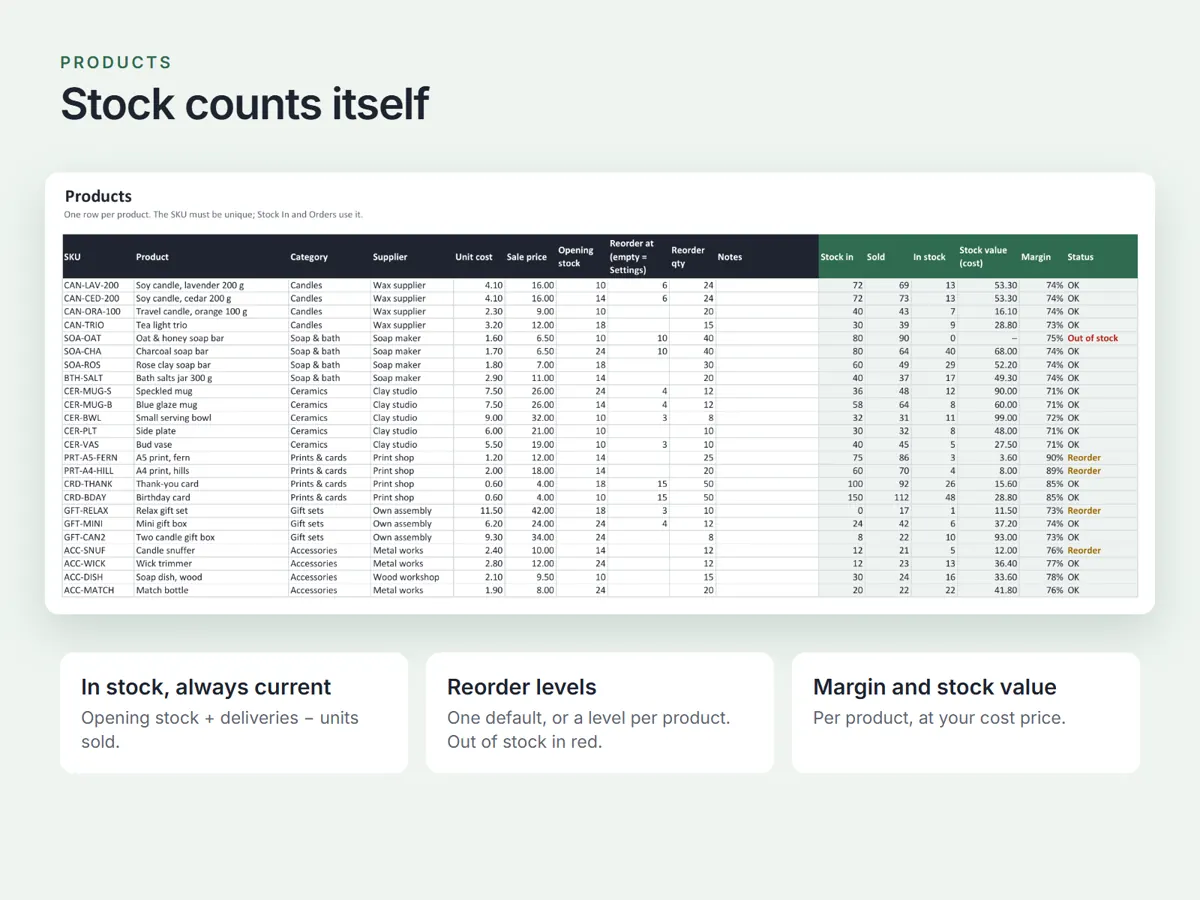
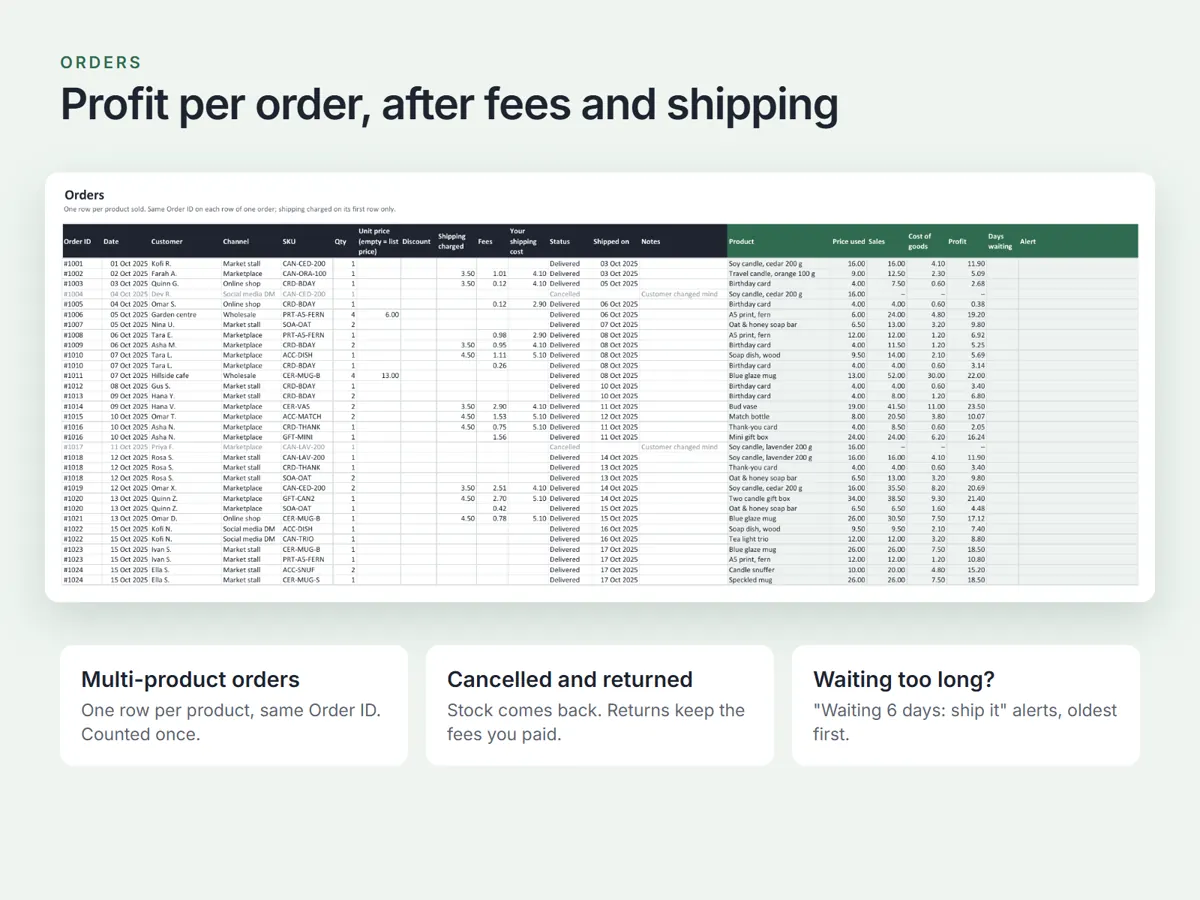
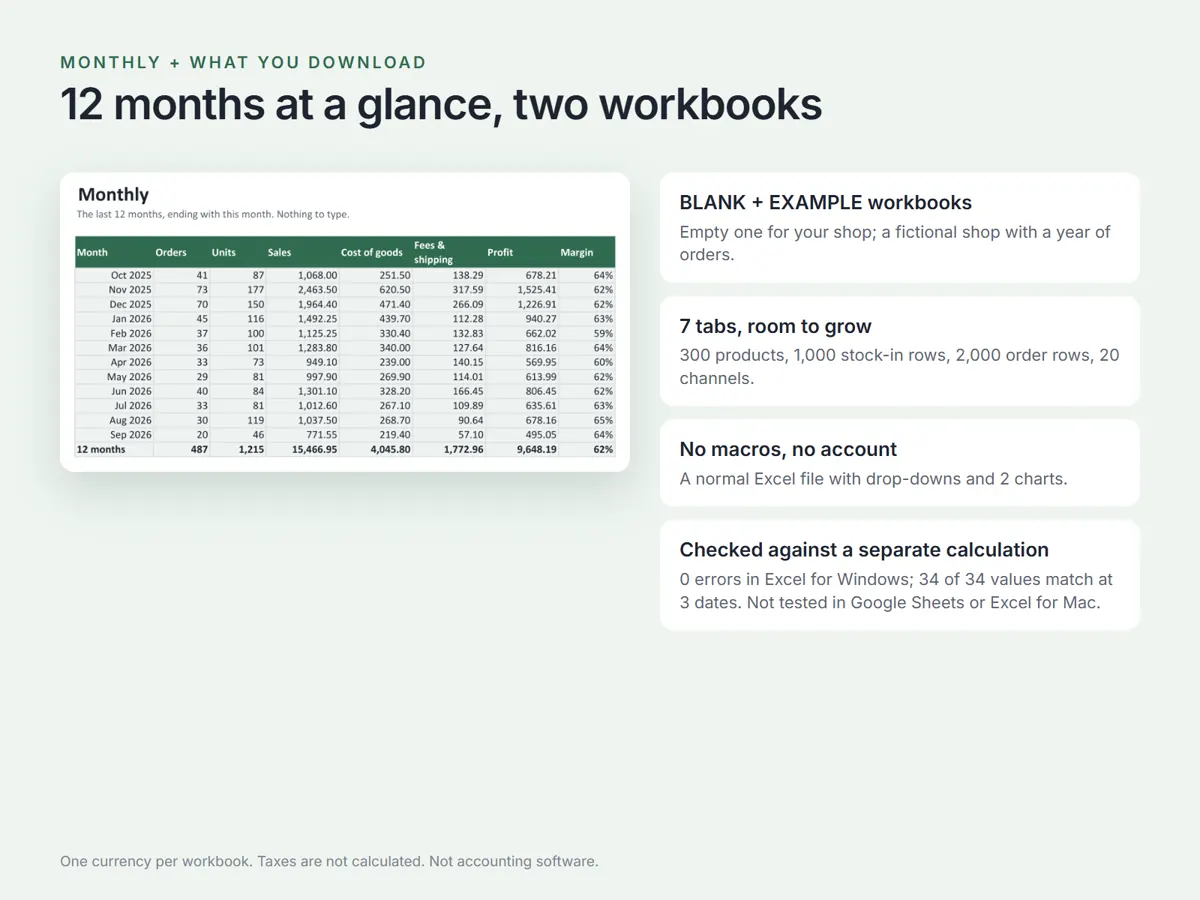
An Excel workbook for a small shop: it keeps stock counts up to date from your deliveries and orders, shows profit after fees and shipping, and tells you what to reorder and which orders are waiting to ship.
₹749 charged in INR · rate of 16 Sep 2026
Small Shop Inventory & Orders runs the stock and orders of a small shop in one normal Excel file, with no account and no app. Add your products once, then type deliveries and orders as they happen, and the workbook counts your stock, works out the profit on every order and shows what needs doing today. Seven tabs cover a Start Here guide, a Dashboard of this month's sales, profit and orders with a reorder list and the oldest unshipped orders, Settings for your categories and sales channels, Products with room for 300, Stock In with room for 1,000 deliveries and corrections, Orders with room for 2,000 rows carrying multi-product orders, discounts, fees, your shipping cost and profit per row, and Monthly for the last 12 months. It needs Microsoft Excel. There are no macros, no add-ins and no account. One currency per workbook, taxes are not calculated, and it is not accounting software. A planning tool, not financial advice. Tested 15 September 2026 in Microsoft Excel for Windows (Microsoft 365): both workbooks recalculated with 0 formula errors, and at 3 test dates 34 of 34 values matched a separate calculation. Not tested in Google Sheets, Excel for Mac or Excel for the web. All sample products, customers and suppliers are fictional.
A non-exclusive, non-transferable licence for one person or one business: use and edit the workbooks for your own shop, and print or save pages as PDF for yourself and your accountant. No reselling, sharing or uploading them to marketplaces or shared drives, edited or not. For several businesses or a team, email [email protected]. The workbooks are provided as they are and are not accounting or tax software; check your own numbers before relying on them. Full terms are in the LICENSE file inside the download.
No. Taxes are not calculated anywhere in the workbook and it is not accounting software. It tracks stock, orders and profit after fees and shipping. Check your own numbers, and treat what you print as a working record rather than books of account.
Microsoft Excel for Windows (Microsoft 365), on 15 September 2026: both workbooks recalculated with 0 formula errors, and at 3 test dates 34 of 34 values matched a separate calculation. It has not been tested in Google Sheets, Excel for Mac or Excel for the web. No macros, no add-ins and no account.
Right after payment you see a Download button on the payment page. Each link works for 10 minutes, so save the file straight away. If a link expires, write to us with your order ID for a new one.
Digital products are final sale. If a download does not work, email us within 7 days of purchase with your order ID and a short screen recording. We send a working file within 2 working days, or refund you in full if we cannot. Read the refund policy
No. Every product is a digital download. Nothing physical is shipped.
Yes. Payments in India are processed by Cashfree, and payments from outside India by PayPal, each on its own secure checkout. We never see or store your card or bank details.
Write to us with the order ID shown on the payment page and we will sort it out. [email protected]
Turn a messy export into answers you can trust: Power Query, PivotTables and formulas, written with AI and checked every time.
₹399 charged in INR · rate of 16 Sep 2026

Know exactly what to film, say and write for your next Reel or Short.
Gumroad price ₹199 ₹179 10% below Gumroad pricecharged in INR · rate of 16 Sep 2026

See exactly how your iSAFE or SAFE converts, what the option-pool top-up costs you, and who owns what after the round. A calculator, not legal or tax advice.
₹1,499 charged in INR · rate of 16 Sep 2026