LaunchForge AI — AI SaaS Starter Kit
A working Next.js 15 codebase with auth, subscription billing, streaming AI chat, usage limits, an admin panel and about 40 pages of docs.
from ₹12,799

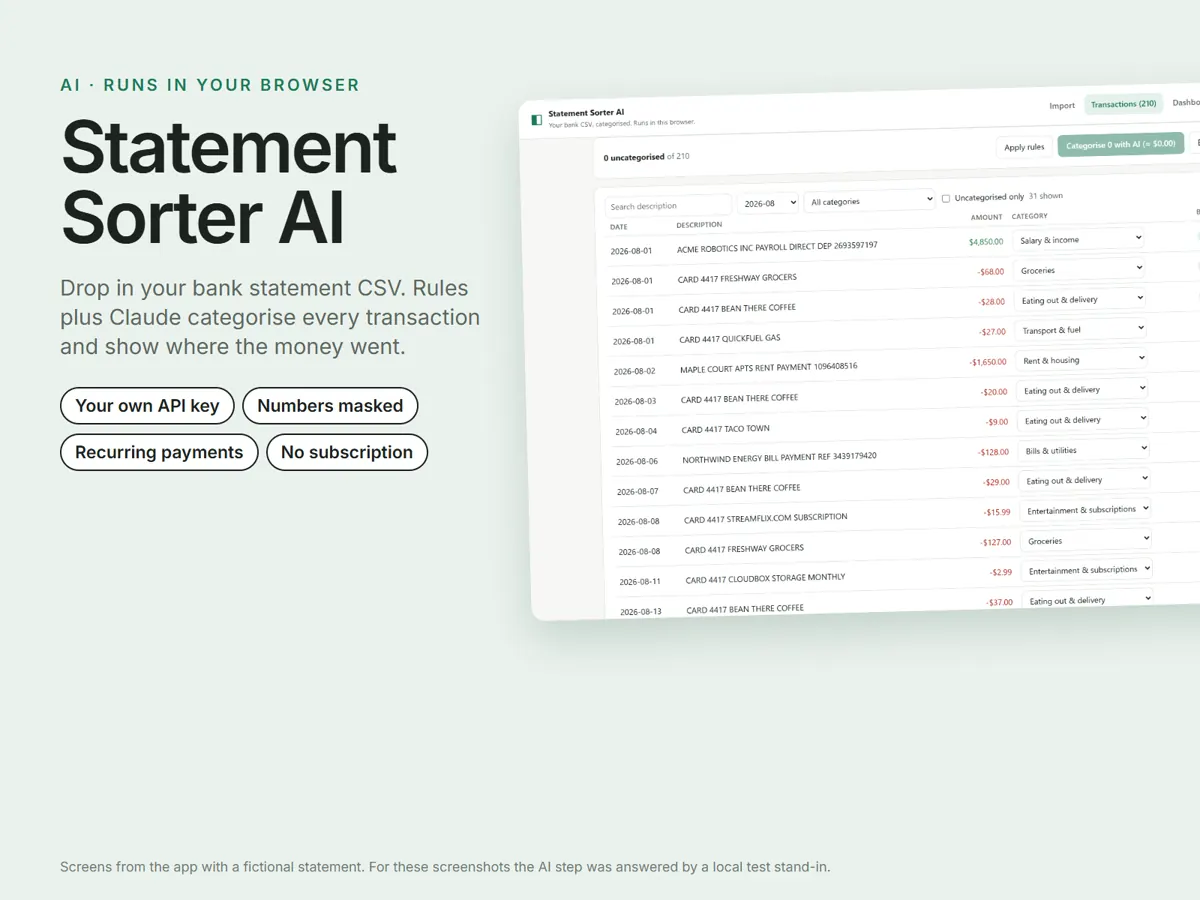
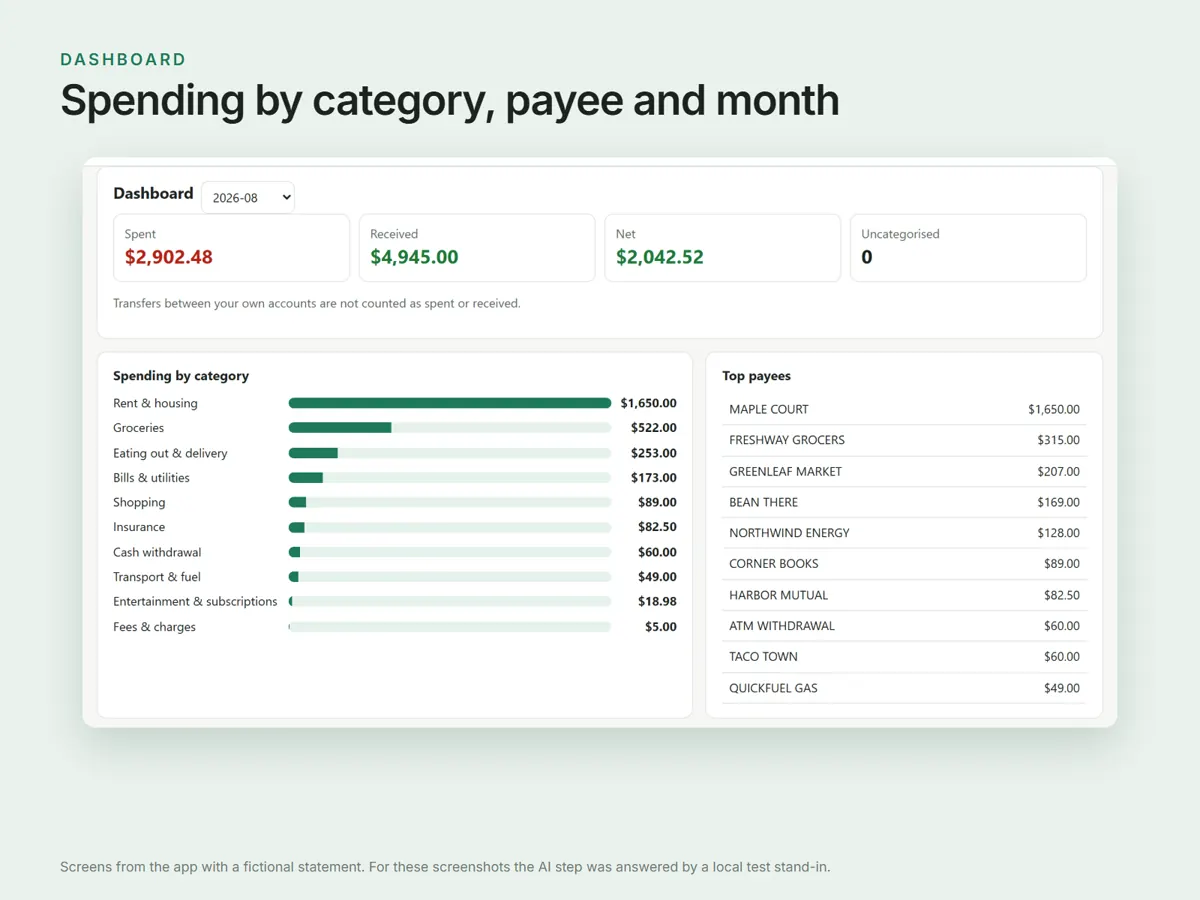
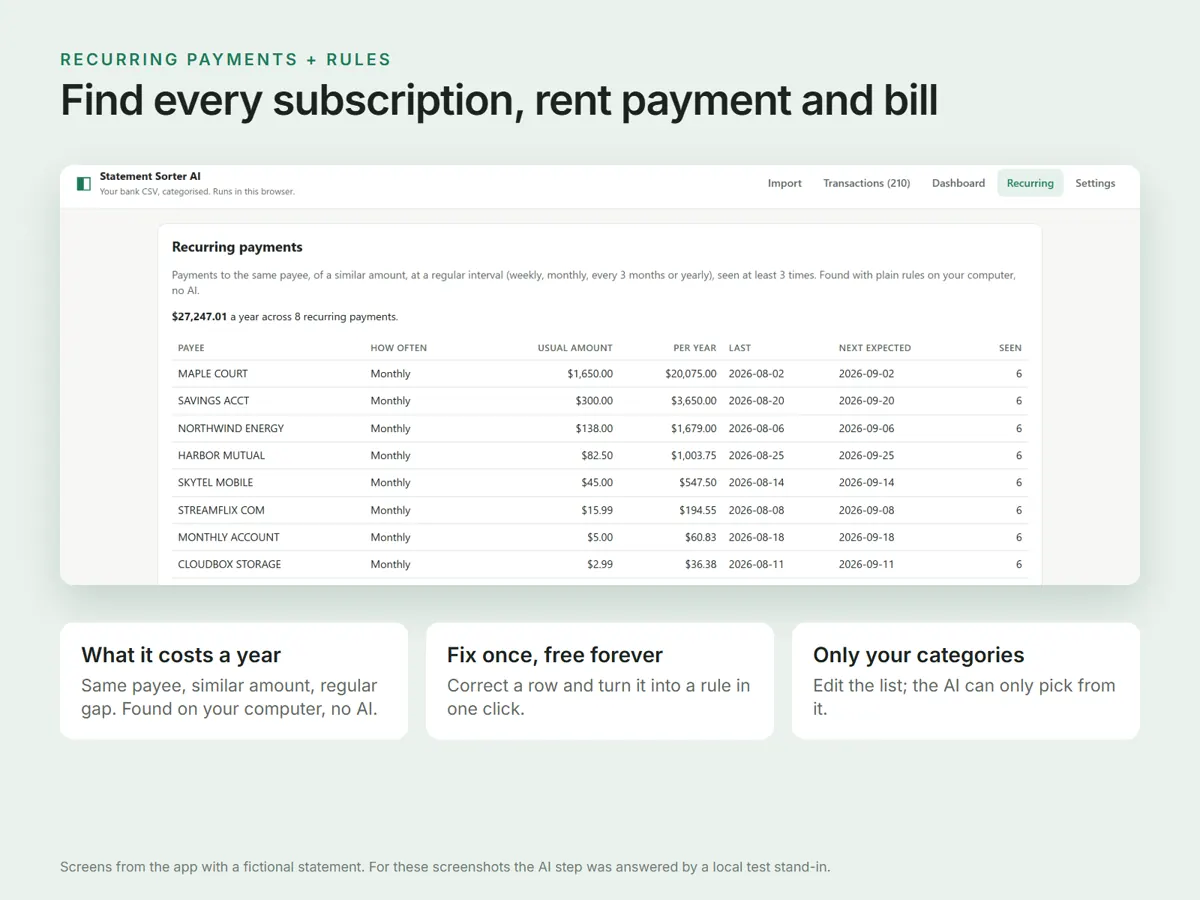
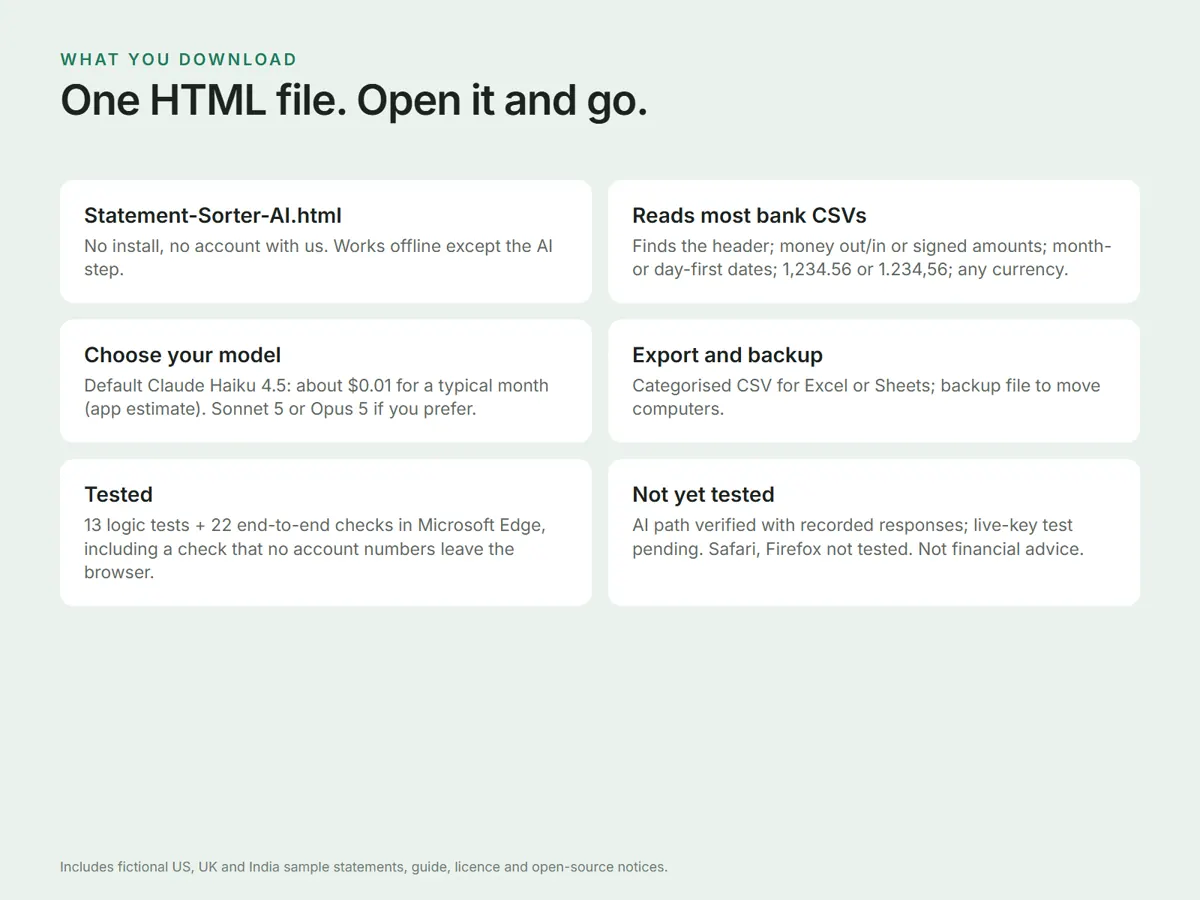
A one-file app that reads the transactions CSV from any bank or card, categorises every row with your own rules plus Claude, and shows spending by month, category and payee.
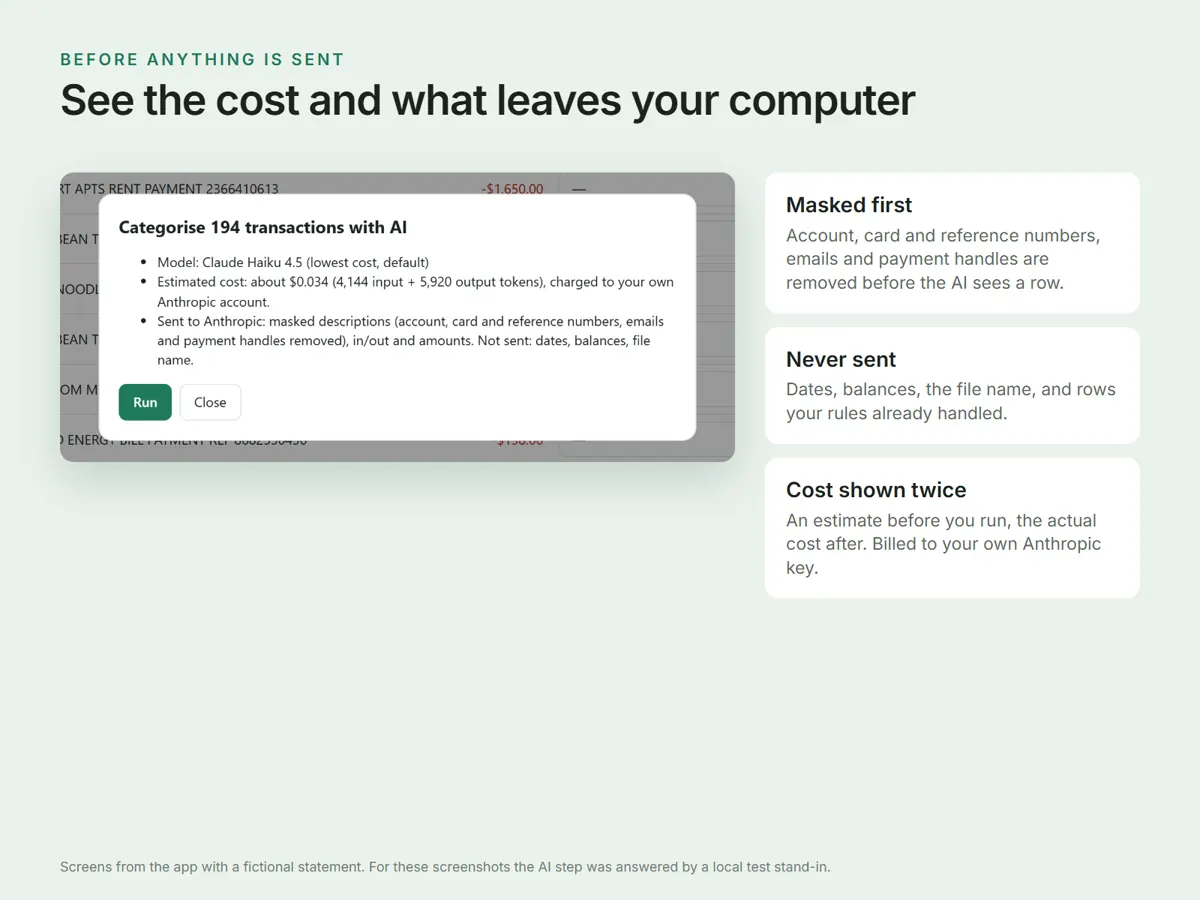
Good to know The AI runs on your own Anthropic API key and is billed by Anthropic, not by us. Real exports from specific banks are not tested and no named-bank presets are claimed; the app shows the estimated cost and exactly what will be sent before every run, so you can check it on the three fictional samples first.
₹999
Statement Sorter AI does the boring part of tracking money: sorting hundreds of transactions into categories. Open one HTML file and drop in the transactions CSV from your bank or card provider. It finds the columns, applies your own rules for free, then asks Claude to categorise what is left, choosing only from your own category list. Correct a row once and one click turns the correction into a rule, so that payee is free next month. The dashboard shows spending by month, category and payee; a separate view lists every recurring payment with its yearly cost. Your statement is read and stored only in your own browser — there is no server of ours and no account with us. The AI step is the only thing that leaves your machine, and it sends Anthropic a row number, in or out, the amount (which you can switch off) and a masked description: runs of 4 or more digits, email addresses, payment handles and Indian IFSC codes are replaced with placeholders. Dates, balances and the file name are never sent, and rows already categorised by your rules or by you are not sent at all. The page blocks connections to any site except api.anthropic.com. Anthropic bills your own API key directly and handles what it receives under its own terms. Not financial, tax or accounting advice.
Personal, non-transferable licence for your own and your household's finances, or your own business, on any number of your own devices. You may change the categories, rules and settings and keep your exported files for any purpose. You may not resell, share, give away, sublicense or host the app for others, edited or not, or remove the licence, credits or third-party notices. An accountant or bookkeeper working on client statements, or a team, should email [email protected]. Full terms are in LICENSE.md inside the download.
Your statement is read and stored only in your browser: we run no server and you make no account with us. The AI step sends Anthropic a row number, in or out, the amount (which you can switch off) and a masked description, with runs of 4 or more digits, email addresses, payment handles and Indian IFSC codes replaced by placeholders. Dates, balances and the file name are never sent, and rows already categorised by your rules or by you are not sent at all. The page blocks connections to any site except api.anthropic.com. Anthropic handles what it receives under its own terms and privacy policy.
Yes, your own Anthropic API key from console.anthropic.com. Anthropic bills your account directly for usage: there is no subscription, we take no cut, and we never see your key or your data. The app shows an estimate before each run and the actual cost afterwards from Anthropic's token counts, and you can set a monthly spend limit in the Anthropic console. By default the key is forgotten when you close the tab.
No. It needs a CSV export of your transactions. If your bank only offers Excel (.xlsx), OFX or QIF, convert that to CSV first. Use one currency per import: the currency setting changes how amounts are displayed and does no conversion.
No. Recurring payments are found by plain rules inside the app: the same payee, mostly the same amount, a regular gap, seen at least three times. No AI call is made for that view.
Right after payment you see a Download button on the payment page. Each link works for 10 minutes, so save the file straight away. If a link expires, write to us with your order ID for a new one.
Digital products are final sale. If a download does not work, email us within 7 days of purchase with your order ID and a short screen recording. We send a working file within 2 working days, or refund you in full if we cannot. Read the refund policy
No. Every product is a digital download. Nothing physical is shipped.
Payments are processed by Cashfree on its own secure checkout page.
Write to us with the order ID shown on the payment page and we will sort it out. [email protected]
A working Next.js 15 codebase with auth, subscription billing, streaming AI chat, usage limits, an admin panel and about 40 pages of docs.
from ₹12,799
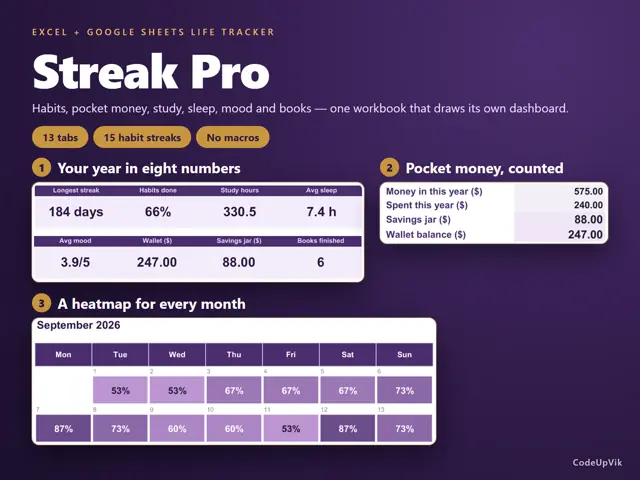
A 13-tab Excel and Google Sheets workbook for habits, pocket money, study, sleep, mood and books, with its own dashboard.
Gumroad price ₹1,244 ₹1,099 11% below Gumroad price
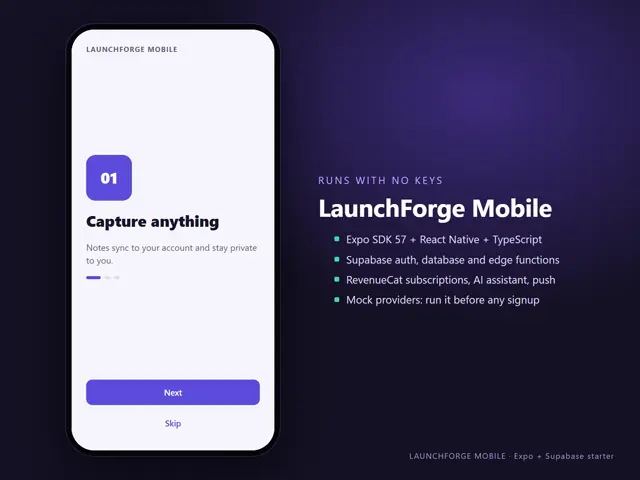
A working Expo React Native app with Supabase auth and database, in-app subscriptions, an AI assistant, push notifications, tests and 42 pages of docs.
from ₹12,799